Bring Your Invites to Life with Video
Create dynamic video invitations with Canva and manage your event effortlessly with CreatEcards.
Free to start. No credit card required.


What is a video invitation?
Engaging Video Invitations
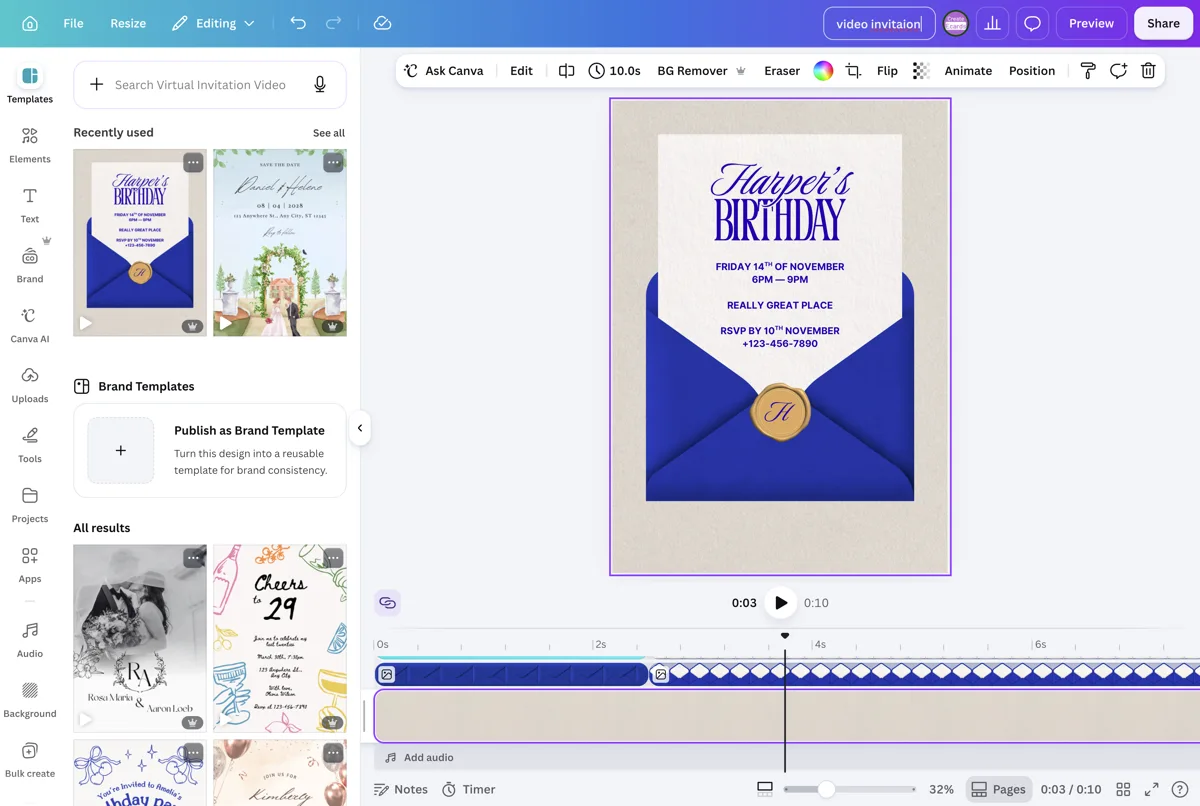
A video invitation is a Canva design that plays as video, including motion and sound when you add audio. CreatEcards keeps your video, event details, online RSVPs, and guest tracking together on one live event page.
Keep the video, motion, and sound together with the event details and RSVP form. Guests can watch and respond from the same link.
Add video and sound in Canva
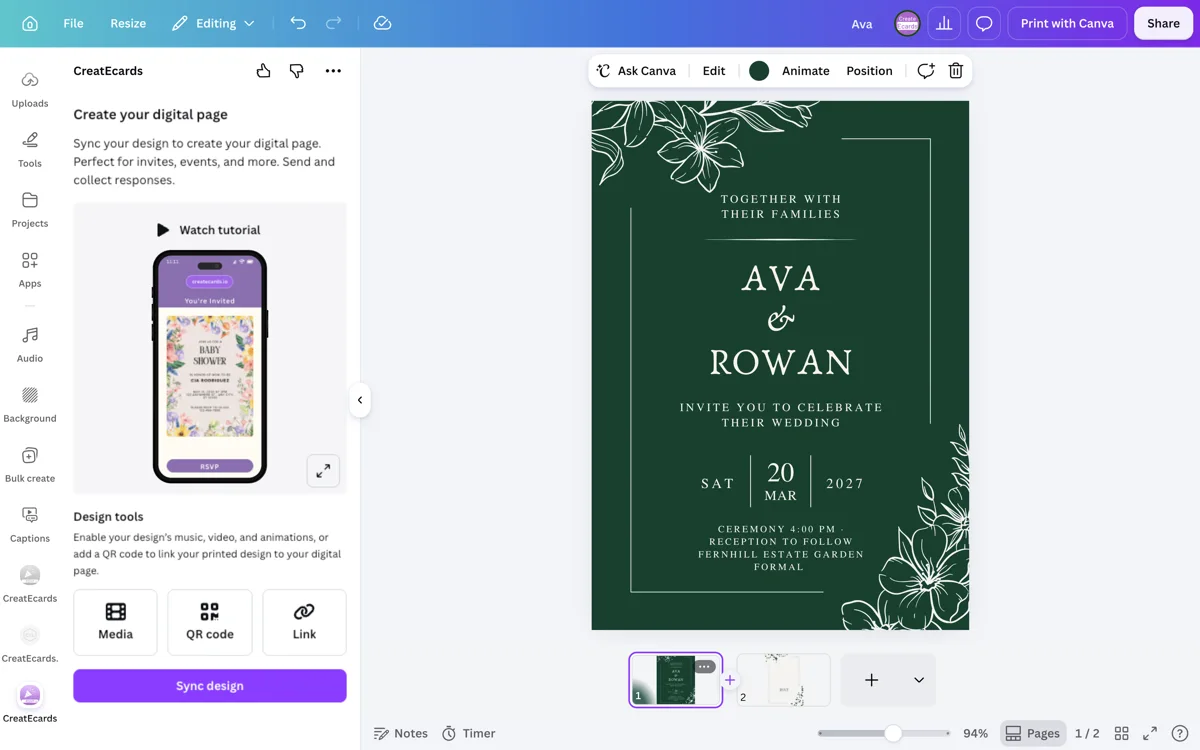
Sync the design
Share one live page
How to make a Canva video invitation with RSVP
Keep the motion and music, add the event details and RSVP settings, then share one link and track responses.

How to make a Canva video invitation with RSVP
Keep the motion and music, add the event details and RSVP settings, then share one link and track responses.
Canva video format
Keep the video and sound you made in Canva
Choose the video presentation when your Canva invitation includes audio. Your video, event details and RSVP stay together on one live page.
- Keep motion and audio together
- Add event details and tracked RSVPs to your video invitation
One live invitation page
Keep your Canva design, RSVP, and event details together
Turn the Canva video design into one mobile-friendly page for responses, dates, venues, maps, schedules, helpful links, and later updates.
- Update practical details without sending a replacement invitation
- Keep the same shared link as plans change
Event details
Tell your guests when, where and what to expect
What your guest sees
Your invitation, details and response in one place
Event details
Tell your guests when, where and what to expect
Simple or Detailed RSVP
Collect the level of guest detail your event needs
Use Simple RSVP for adult and child totals plus one set of answers for the group. Use Detailed RSVP to name every guest, including plus-ones, and collect answers for each person.
- Choose group totals or named guests
- Collect group-level or per-person answers
RSVP & responses setting
How responses will be collected
What your guest sees
Attendance
RSVP & Responses Setting
How responses will be collected
Custom questions
Ask questions once per group or for every named guest
With Simple RSVP, collect one set of answers for the group. With Detailed RSVP, ask each named guest about meals, transport, song requests, accessibility, or attendance at another part of the event.
- Use text or multiple-choice questions
- Choose group-level or per-person answers
Host setup
Add your questions
Custom questions
Ask anything and collect the details you need
What people see
A few quick questions
After they respond
Let confirmed guests save the event
After confirming, guests can add the event name, date, time, and venue to their calendar so the details stay close.
- Carry confirmed details into the calendar entry
- Reduce follow-up questions about when and where
Host setup
Confirmation actions
What people see
You’re on the list
Canva invitation makers on video, audio, and RSVPs
“I recently used CreatEcards to set up an impressive online invitation for a men's conference. The combination of Canva's design options and CreatEcards' user-friendly interface allowed me to easily incorporate video stills, audio, and RSVP functionality, making it the perfect choice for my needs.”
“CreatEcards made setting up my Gender reveal a breeze! I absolutely love the ease of use and the ability to personalize my e-Vites with my own video content. It's a fantastic platform for creating stunning online invitations and event websites - highly recommend it for all Canva lovers out there!”
“CreatEcards was a total lifesaver for me when I tried creating a wedding RSVP invitation! As a beginner, I found the platform incredibly user-friendly and intuitive to use. I loved how seamless it was to publish my Canva designs as online invitations and manage RSVPs. Highly recommend for any Canva lover looking to jazz up their event planning game!”
“I recently used CreatEcards to set up an impressive online invitation for a men's conference. The combination of Canva's design options and CreatEcards' user-friendly interface allowed me to easily incorporate video stills, audio, and RSVP functionality, making it the perfect choice for my needs.”
“CreatEcards made setting up my Gender reveal a breeze! I absolutely love the ease of use and the ability to personalize my e-Vites with my own video content. It's a fantastic platform for creating stunning online invitations and event websites - highly recommend it for all Canva lovers out there!”
“CreatEcards was a total lifesaver for me when I tried creating a wedding RSVP invitation! As a beginner, I found the platform incredibly user-friendly and intuitive to use. I loved how seamless it was to publish my Canva designs as online invitations and manage RSVPs. Highly recommend for any Canva lover looking to jazz up their event planning game!”
“CreatEcards made RSVP collection a breeze for me, turning event planning into a stress-free experience. The seamless integration with Canva allowed me to showcase my creativity while designing beautiful online invitations and event websites. I highly recommend CreatEcards to any Canva lover looking to easily manage their events and impress their guests with personalized digital creations.”
“CreatEcards saved me so much time by allowing me to create my event invitation without the need to redesign anything. I love that CreatEcards is seamlessly linked to Canva designs, making it easy to bring my creations to life as online invitations or event websites. Thanks to CreatEcards, managing RSVPs, including gift registry links, location details, and calendar links, has never been easier!”
“I absolutely love CreatEcards for transforming my Canva designs into stunning online invitations and event websites effortlessly. The platform is user-friendly and allows me to customize every detail from RSVP collection to adding gift registry links, making event planning a breeze. With CreatEcards, I can easily share my creations with guests, saving time and adding a touch of elegance to every event!”
“CreatEcards made RSVP collection a breeze for me, turning event planning into a stress-free experience. The seamless integration with Canva allowed me to showcase my creativity while designing beautiful online invitations and event websites. I highly recommend CreatEcards to any Canva lover looking to easily manage their events and impress their guests with personalized digital creations.”
“CreatEcards saved me so much time by allowing me to create my event invitation without the need to redesign anything. I love that CreatEcards is seamlessly linked to Canva designs, making it easy to bring my creations to life as online invitations or event websites. Thanks to CreatEcards, managing RSVPs, including gift registry links, location details, and calendar links, has never been easier!”
“I absolutely love CreatEcards for transforming my Canva designs into stunning online invitations and event websites effortlessly. The platform is user-friendly and allows me to customize every detail from RSVP collection to adding gift registry links, making event planning a breeze. With CreatEcards, I can easily share my creations with guests, saving time and adding a touch of elegance to every event!”
Video invitation questions, answered
Got a specific question? Open your AI with our FAQ link, then ask it there.
Yes. Choose Video in the CreatEcards app's Media panel, add Canva's embed code, then sync your design.
Yes. Add the audio track in Canva and choose the video presentation in CreatEcards. Use slideshow presentation when you want visual playback without sound.
Yes. Guests open the live invitation link, watch the video, and complete the RSVP on the same event page. Their responses appear in your guest dashboard.
No. Guests open the published invitation link in their browser. They do not need a Canva account to view the media or respond.
You can collect attendance, plus-ones, meal choices, dietary needs and custom answers. Choose Simple RSVP for group answers or Detailed RSVP for each guest's name and answers.
Yes. Update the video in Canva, then sync it again and choose Sync changes. Guests keep using the same invitation link.
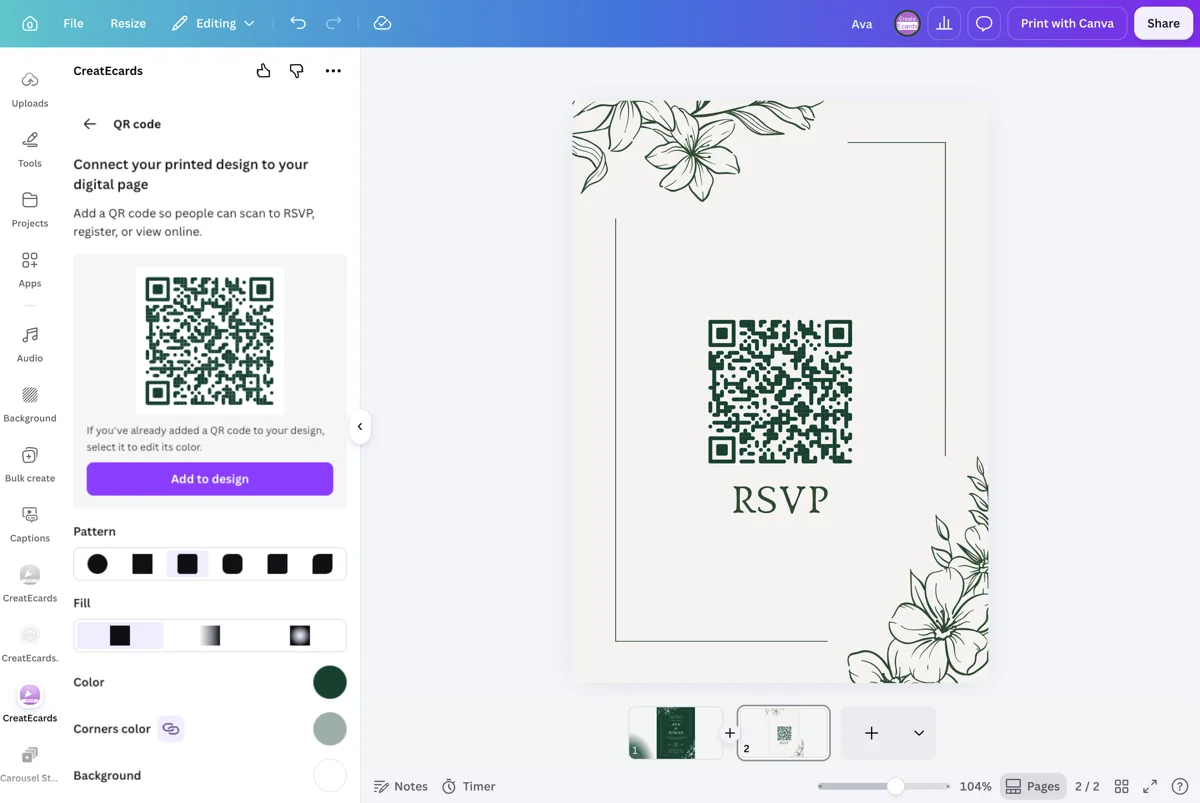
The video plays online. Add the CreatEcards QR code to your Canva design before syncing, then publish and scan a test print.
Invitation formats
Your Canva invitation, with RSVPs built in
Static, animated, video, slideshow, or a Canva event website. Keep the format you chose and add one live place for event details and responses.
- Static Canva designs
Static Canva designs
Keep your static Canva invitation and add a live RSVP page.
- Animated invitations
Animated invitations
Keep your Canva animation and collect responses on the same live invitation.
- Video invitations
Video invitations
Share your Canva video invitation with event details and tracked RSVPs built in.
- Slideshow invitations
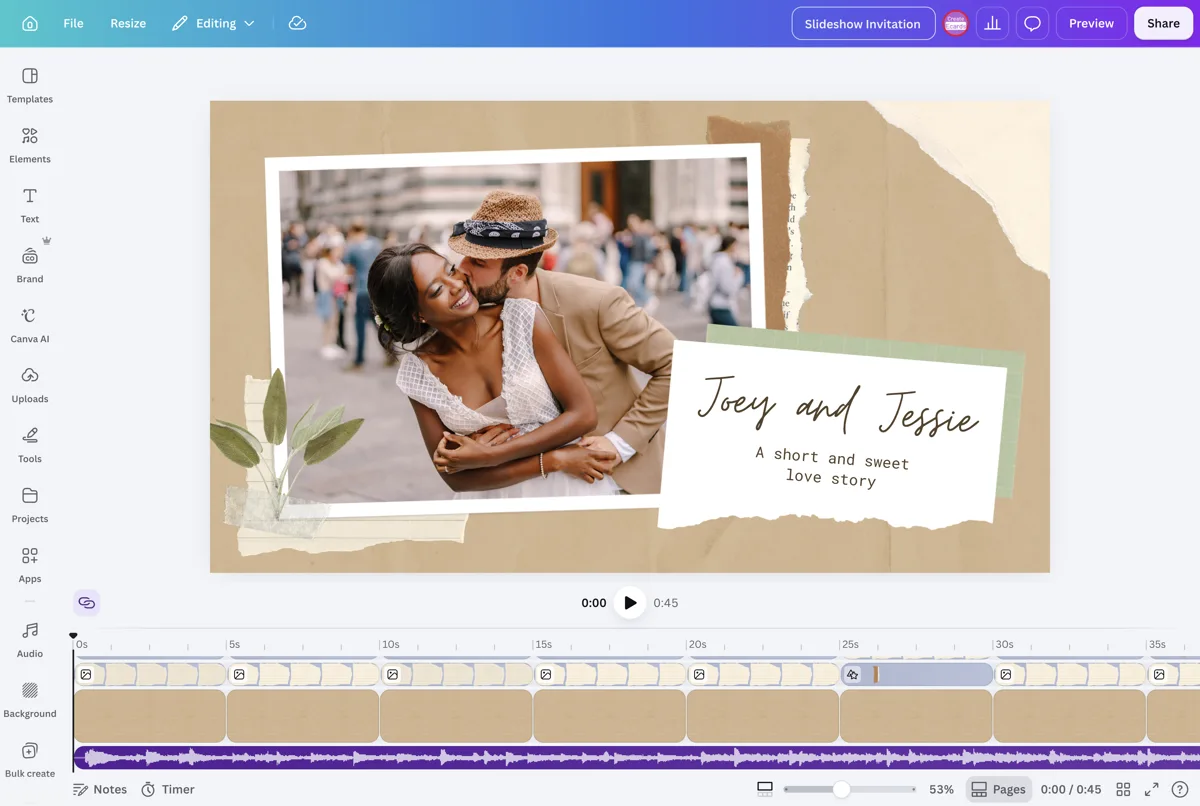
Slideshow invitations
Keep your Canva slideshow and collect guest responses from the live page.
- Canva wedding & event websites
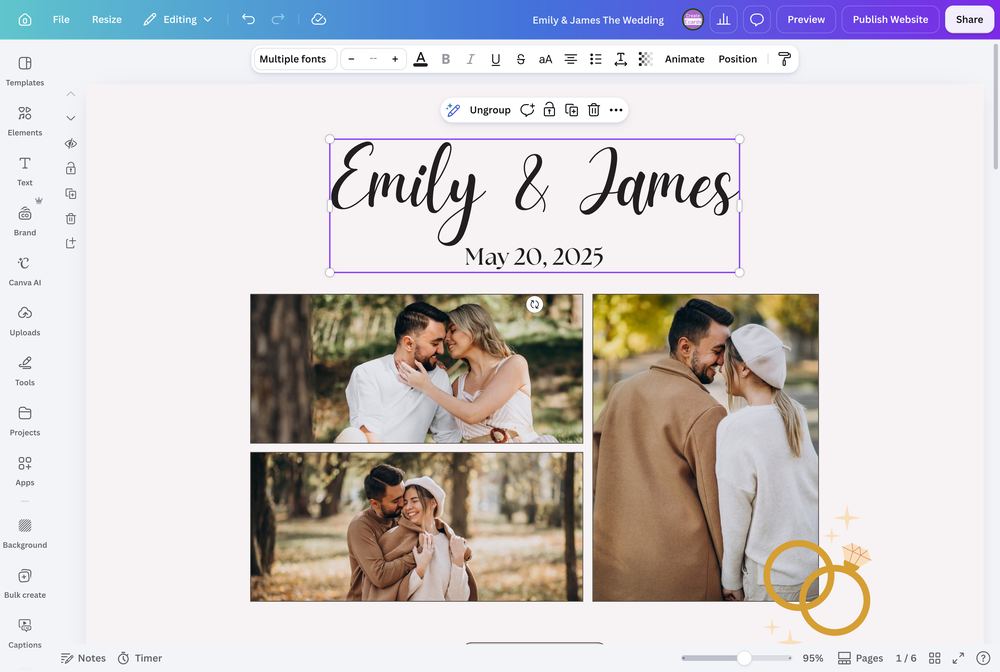
Canva wedding & event websites
Add RSVPs and guest details to your Canva wedding or event website.
Make your Canva video invitation work
Keep the video and music you made. Add the live page that collects every RSVP and keeps your guest list clear.
Start Your Video Invite