Bring the Neighborhood Together with a Canva Block Party Invite
Keep the block party invitation made in Canva, collect household RSVPs, and share the location, timing, food, accessibility, and organizer-defined details from one live page.
Free to start. No credit card required.

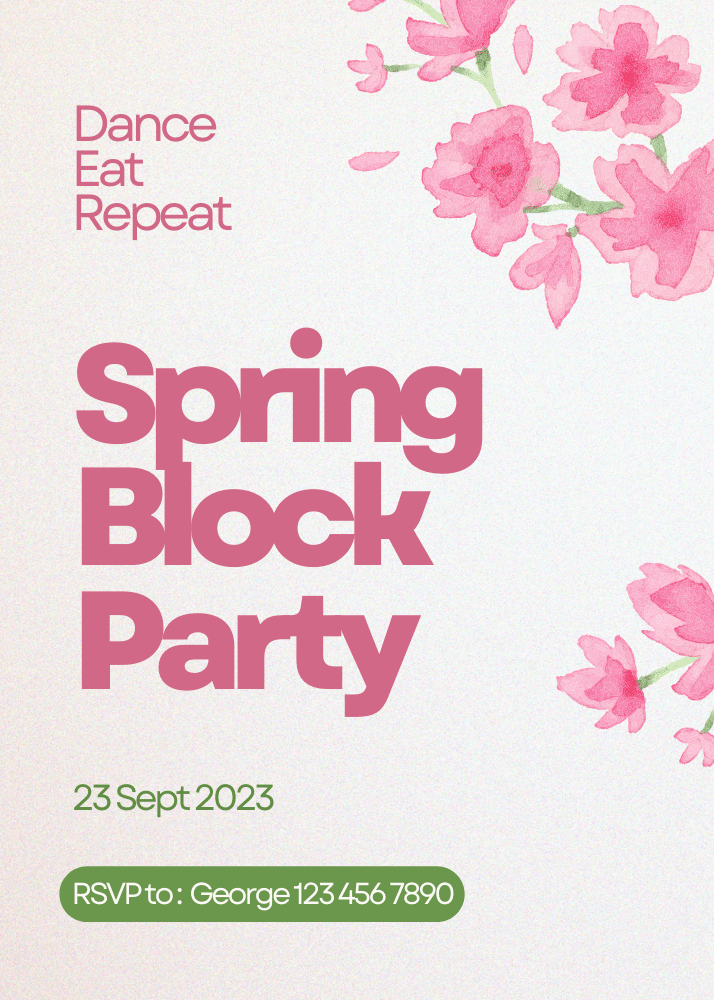
Block party invitation with online RSVP
What is an online block party invitation with RSVP?
A block party invitation with online RSVP keeps the Canva design, neighborhood details, and household responses together on one live page.
Give neighbors one page for the invitation, location, timing, food or accessibility details, and household RSVP. In the CreatEcards page manager, you can see your response count and a free preview of replies.
Keep the Canva design
Sync through CreatEcards
Collect household RSVPs
Turn the Canva block party invitation into one live page
Keep the neighborhood design, then add household responses and the practical information neighbors need.
Turn the Canva block party invitation into one live page
Keep the neighborhood design, then add household responses and the practical information neighbors need.
Simple or Detailed RSVP
Collect the level of guest detail your block party needs
Use Simple RSVP for adult and child totals plus one set of answers for the household. Use Detailed RSVP to name every neighbor and collect answers for each person.
- Choose household totals or named guests
- Collect group-level or per-person answers
RSVP & responses setting
How responses will be collected
What your guest sees
Attendance
RSVP & Responses Setting
How responses will be collected
One live invitation page
Keep your Canva design, RSVP, and block party details together
Turn the Canva block party design into one mobile-friendly page for responses, locations, maps, parking, street guidance, wet-weather plans, and later updates.
- Update practical details without replacing the shared link
- Keep the same shared link as plans change
Event details
Tell your guests when, where and what to expect
What your guest sees
Your invitation, details and response in one place
Event details
Tell your guests when, where and what to expect
Custom questions
Ask questions once per household or for every named guest
With Simple RSVP, collect one set of answers for the household. With Detailed RSVP, ask each named guest about food, accessibility, equipment, or participation.
- Use text or multiple-choice questions
- Choose household-level or per-person answers
Host setup
Add your questions
Custom questions
Ask anything and collect the details you need
What people see
A few quick questions
Printable QR code
Make your printed Canva invitation open the same live page
Add the CreatEcards QR code to your design before syncing. Publish your page, then scan a test print.
- Use the QR code on printed invitations, flyers, or signs
- Show updated details without reprinting the design
Your printed design
Live page
The neighborhood planning outcome
A clear headcount and one reliable page for the block party
Household attendance
Keep adults and children attached to the correct response.
Practical information
Give neighbors one link for the current time, location, map, and organizer guidance.
Useful planning answers
Keep food, accessibility, and other organizer-defined details with each response.
Block party invitation questions
Got a specific question? Open your AI with our FAQ link, then ask it there.
Yes. In Canva, open Apps, choose CreatEcards, click Sync design, then choose Online Invitation. Add RSVPs without rebuilding your design.
Yes, when you allow plus-ones. Set the maximum party size, including the person replying. Simple RSVP collects household totals; Detailed RSVP collects each person by name.
Yes. Add text or multiple-choice questions for shared food, dietary needs, accessibility, children attending, or another practical detail the organizers need.
Yes. Add the location, map, parking or street-closure guidance, wet-weather plan, and other neighborhood information that applies to the event.
Yes. Set Stop collecting response after date in RSVP form under RSVP & guests settings. Match any deadline in your invitation design.
Yes. Update the design in Canva, sync it again, and choose Sync changes. Update any matching event details in CreatEcards too. Guests keep using the same invitation link.
No. They can open the live invitation in their browser and respond without creating an account.
Create the block party invitation page.
Keep the Canva design and add household RSVPs and the neighborhood details everyone needs.
Plan Your Block Party